
You decide how much access we get.
Send from your Gmail.
Pick how replies come back.
We never read your inbox.
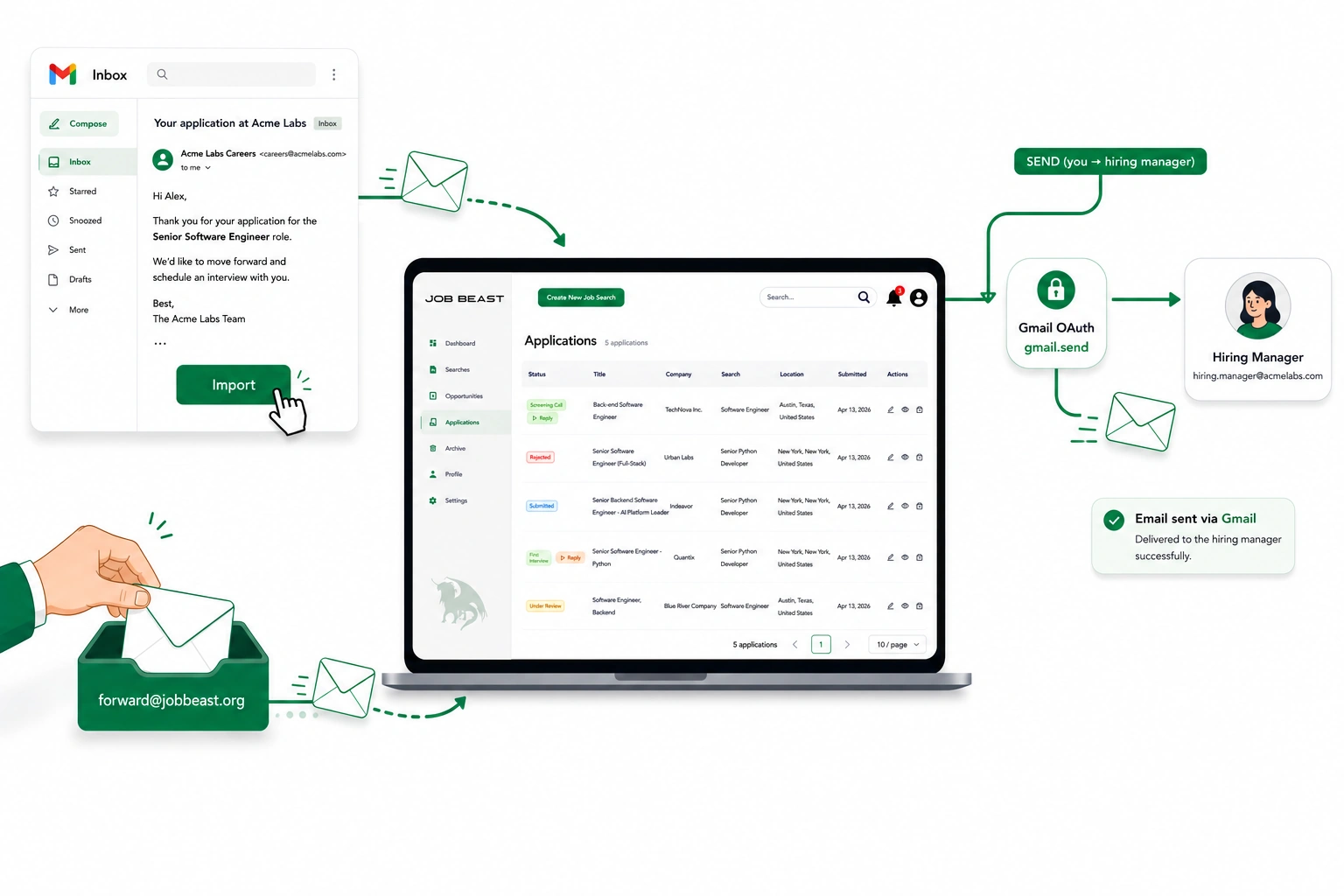
Apply from your real Gmail.
When you hit Apply, Job Beast sends the email from your own Gmail address. The hiring manager sees you in the From: field — no relay, no Job Beast-branded sender, no “via” tag. Replies land in your Gmail inbox like any other personal correspondence.
Connecting takes about ten seconds: you sign into Google once, grant the send-only scope, and you’re done. You can disconnect any time from Settings → Connected Accounts.
RequiredYou need to connect Gmail to apply. There’s no other way for us to send mail as you — and we wouldn’t want there to be.
Scopes we request
gmail.sendSends emails on your behalf, only after you’ve reviewed and approved each one. Cannot read any mail.userinfo.emailReads your Gmail address so the dashboard knows which account to attach sent messages to.
What we don’t request
gmail.readonly— full inbox read access.gmail.modify— modifying, labelling, or moving messages.- Any restricted Gmail scope.
Stop any time
Disconnect from Settings → Connected Accountsat any point. If the grant ever expires on Google’s side, you’ll see a one-click re-connect prompt the next time you apply.
One click, or one forward. Same dashboard.
Sending is settled. Now pick how Job Beast learns about replies — both options reach the same dashboard.
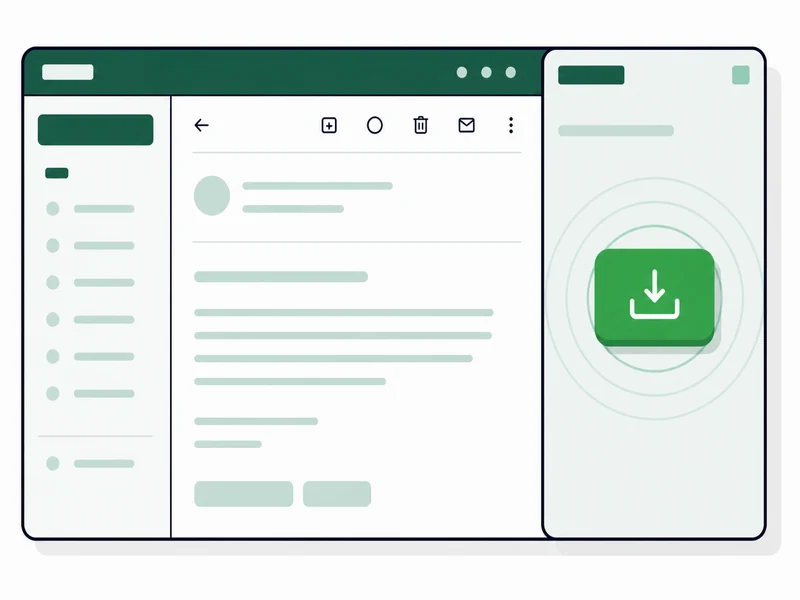
Gmail Add-On
RecommendedOne click in Gmail. Auto-suggests the right application.
- One-time install
- One click per reply
- Near-instant
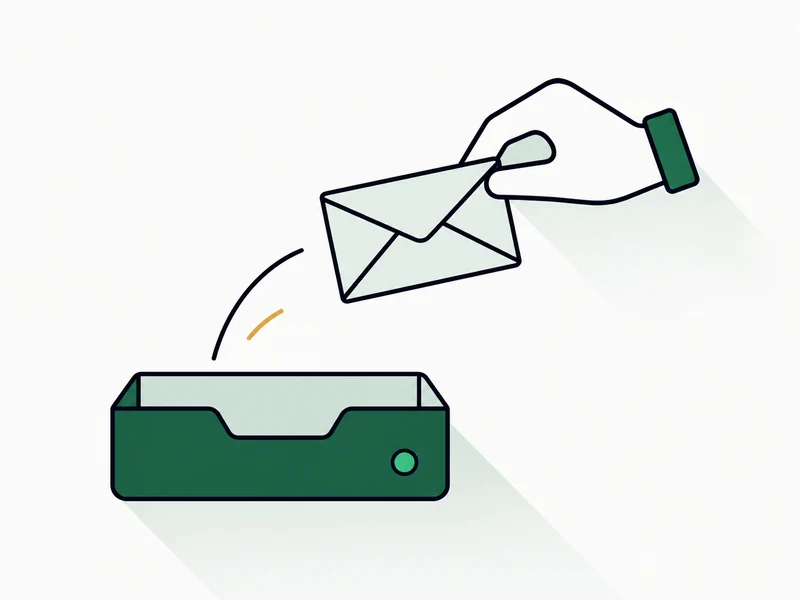
Manual Forward
Forward each reply to [email protected].
- No setup
- Forward each reply
- Highest privacy
One click in Gmail.
Install our add-on from the Google Workspace Marketplace. When you open a reply, a panel appears in Gmail’s sidebar showing a suggested-application card with a short preview, and a single button: Import to Job Beast. One click sends the message to your dashboard.
Best forMost users. Lowest per-email friction, near-instant dashboard updates, no inbox-wide access.
Install the Gmail add-on →Scopes we request
gmail.addons.current.message.readonlyReads sender, subject, body, and headers of the single message you have open — and only that one. Cannot reach the rest of your inbox.gmail.addons.executeRequired by Google for any Gmail add-on to run. No data access on its own.script.external_requestLets the add-on call the Job Beast API atapi.jobbeast.orgwhen you click Import.userinfo.emailTells us which Job Beast account to attach the import to.gmail.sendGranted separately when you connect Gmail in the dashboard. Sends applications and replies you approve, from your real address. Cannot read your mail.
What we explicitly don’t request
gmail.readonly— full inbox read access.gmail.modify— modify, label, or move messages.- Any restricted Gmail scope.
Smart defaults
- Auto-suggest the right application from sender + subject; pick from a dropdown if unsure.
- Self-sent detection— we never flip your status based on your own outgoing pitch.
- Cross-path dedup by RFC Message-ID; duplicates from forwards are silently ignored.
You forward each reply.
When a hiring manager (or, occasionally, a recruiter) writes back, you hit Forward in Gmail and send to [email protected]. Within a few minutes, your dashboard updates and you get a confirmation email back: which application matched, what status changed, what we recommend next.
Best forPrivacy-first users, low application volume, or anyone trying Job Beast for the first time.
Set up manual forwarding →What you do
- Open the reply.
- Forward to [email protected].
- That’s it.
What we receive
Only what you forward. [email protected] is a Job Beast-owned mailbox read by our backend; no humans browse it.
Good to know
- Per-application address.Every application also gets its own forwarding address you can copy from the application page in the app — handy when subject lines or sender addresses might change.
- Tested email clients.We parse forwards from Gmail, Outlook, and Apple Mail (web, desktop, and mobile). Other clients may work but aren’t guaranteed.
- If we can’t match. You get a one-click link to attach the email manually. Works for 14 days, no login required.
- Confirmation emails.On by default for forwards you sent yourself. Three modes available in Settings → Reply Capture.
What we don’t see
- Your inbox.
- Replies you didn’t forward.
- Anything Gmail-related — no Gmail connection on this path.
The pipeline is the same regardless of how it got here.
The receive path you choose only affects how a reply reaches us. Once inside, every reply runs the same checks.
Identify the application
Four matchers, in order of strength: per-application address (if you used one) → reply-thread headers (when the original message preserves them) → sender plus subject → sender alone. If none of the four fires, the email is held for you to attach by hand (see Step 6).
Deduplicate
Each email gets a stable ID derived from its RFC Message-ID. If we have seen it before — via any path — it is rejected at the database level. Status is never flipped twice for the same message.
Detect self-sent
If the sender is your own address, the email is recorded as outbound for thread completeness and classification is skipped. Re-importing your own sent message is a clean no-op.
Classify with AI
The reply’s text plus the application’s current state goes to a language model with a deliberately conservative prompt. The model returns a proposed status, a confidence score, an explanation, and a flag for whether the email needs your reply.
Apply the status update
A proposed status only takes effect if confidence is above your threshold and the transition is valid (first interview → second interview is fine; rejected → under review is not).
Recover unmatched forwards
If none of the four matchers fires, we email you a single-use link (good for 14 days, no login required) that opens an attach page with your active applications. Pick the right one and the email runs the same classification pipeline. Nothing is lost.
Notify you
A real-time event hits any open dashboard via Server-Sent Events. A recommended action is computed. A confirmation email is sent based on your preference in Settings → Reply Capture (three modes: manual forwards only, always, or never).
Reconcile
A periodic task re-checks each active application’s recommended action. If a signal was missed at classification time, it gets corrected later.
What we promise, in plain language.
Five lines. No fine print. The full versions live in our Privacy Policy and Terms of Service.
We can’t read your inbox
Job Beast doesn’t hold a key to your mailbox. We only see what you explicitly hand to us.
Backend-only mailbox
[email protected] is operated by Job Beast, read by our backend. No humans browse it.
You control both doors
Send-only OAuth on the way out. Manual forward or one-click import on the way back. We only see what you decide to send our way.
No model training
Email content goes to our AI provider for status classification. They do not train on it, and the content is processed under the Google Cloud Data Processing Addendum.
Stop any time
Stop forwarding or uninstall the add-on. Delete any imported email from its application page.
Pick the integration that fits how you work.
You can change your mind any time — nothing is locked in.
Get Started Free